From Sentiment to Conformance: Why the Evaluation Agent is the Keystone
In the early days of CRM intelligence, we felt like pioneers because we could finally measure «the vibe.» We moved from simple call logging to sophisticated telemetry: sentiment analysis, NPS tracking, and Average Handling Time (AHT) and everything was meassured as KPIs.
But there is a growing realization among contact center leaders: Sentiment is a signal, but Conformance is a strategy.
Traditional CRM intelligence tends to stop at descriptive signals:
- “Customer sentiment was negative.”
- “Average handling time increased by 12%.”
- “This sampled call received a low QA score.”
This data is helpful, but it isn’t operationally decisive. Knowing a customer was frustrated doesn’t tell you why and even more importantly, it doesn’t tell you if the agent actually followed protocol.
The Shift to the «Agentic» World
The Quality Evaluation Agent in Microsoft Dynamics 365 Contact Center introduces a different class of insight: conformance. Rather than asking “How did this interaction feel?”, it asks “Did it meet defined standards?” There are no feelings involved, just hard, cold facts based on the logic you define.
| Old World (Telemetry & Sentiment) | Agentic World (Conformance) |
| “The customer sounded frustrated.” | “The required verification step was missed.” |
| “The agent’s NPS was below average.” | “The interaction deviated from the compliance script.” |
| “AHT spiked this week.” | “The resolution lacked the expected knowledge reference.” |
Setting Up the Governance Layer
The beauty of Microsoft’s model is that it transforms your internal policy documents into active logic. Setting up the agent follows a logical three-step workflow within the Contact Center admin center:
Just go to Quality Management and find the Quality Evaluation Agent and click manage and turn it on.
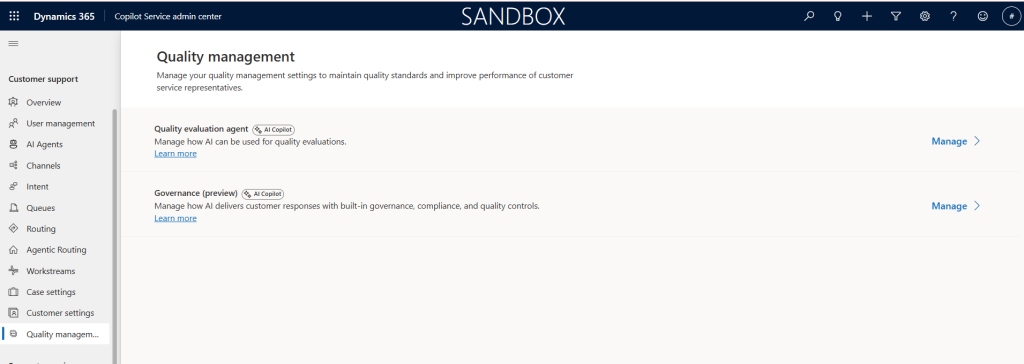
After this is done, head over to your Copilot Service Workspace app and you should find the three following tables in your menu
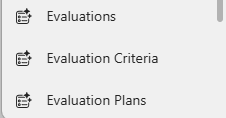
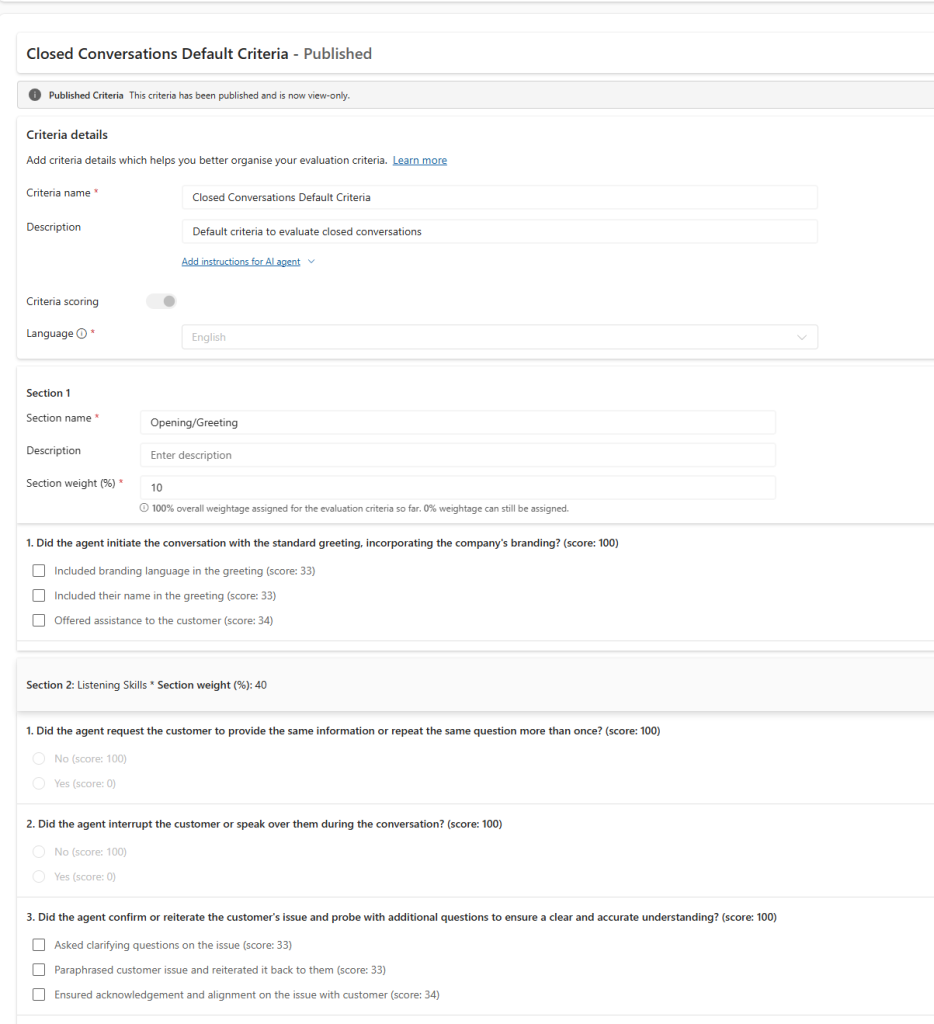
- Define Your Evaluation Criteria: This is your definition of «good.» You create specific questions (e.g., «Did the agent verify the account?») and define the scoring method. whether it’s a simple Yes/No, a Likert scale, or a numeric range.
- Build the Evaluation Plan: Define the scope. You can target specific queues, languages, or high-value case types, and set a sampling rate.
- Evaluations: This is you actual evaluations that has been ran or is running.
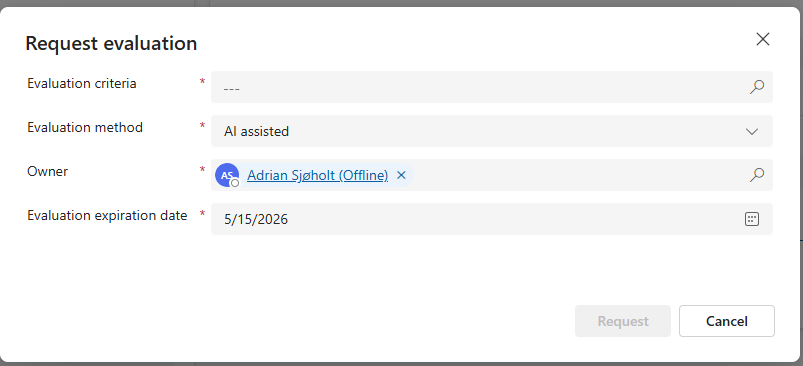
To request an evaluation you will now get a button on the case ribbon
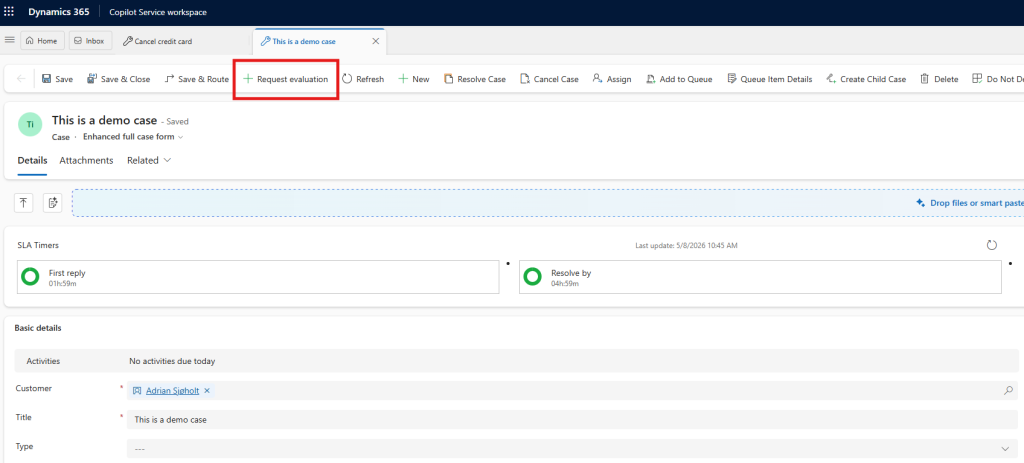
This will promt you for which evaluation to be ran and which method to be used (se below)
Initial Testing: The Three Modes of Evaluation
One of the most powerful aspects of this tool is the ability to test and calibrate before rolling it out at scale. When you trigger a Request Evaluation on a specific interaction, you are presented with three distinct methods:
- AI Agent: Full autonomy. The AI performs the evaluation independently based on your criteria. This is the goal for scaling QA across 100% of your interactions.
- AI Assisted: The «Co-pilot» approach. The AI provides suggested scoring and reasoning, but a human supervisor reviews and finalizes the result.
- Manual: The traditional route. A supervisor conducts the evaluation from scratch using the standardized digital form.
My Tip: Start with AI Assisted mode during your pilot phase. It allows you to «watch the AI’s homework,» ensuring its logic aligns with your company standards before you flip the switch to full AI Agent autonomy.
Why the Keystone?
This distinction matters because automation without correctness is risk.
As we move toward a future where AI agents handle more customer interactions autonomously, we cannot rely on «vibes» to ensure safety. We need a governance layer. The Evaluation Agent is that layer. It provides the framework for:
- Evaluation criteria (the rules of engagement)
- Evaluation plans (the frequency of oversight)
- Standardized outputs (the data to drive coaching)
If you’re thinking long-term, this agent is foundational. Conformance becomes the governance layer that makes everything else such as knowledge generation, intent reuse, and eventually full autonomy. And making it safe to scale.
Measurement Comes Before Action
The Quality Evaluation Agent is an easy «win» to turn on. Because it does not edit information in your CRM and does not send anything externally to customers, it is a non-destructive, zero-risk place to start your AI journey.
Stop guessing how your center is performing. Start measuring how it conforms.
Ready to build your governance layer? Explore the official Microsoft documentation to get started.
You can also read more about how this agent work together with the other agents in customer service on my blog post here